What each executive sees
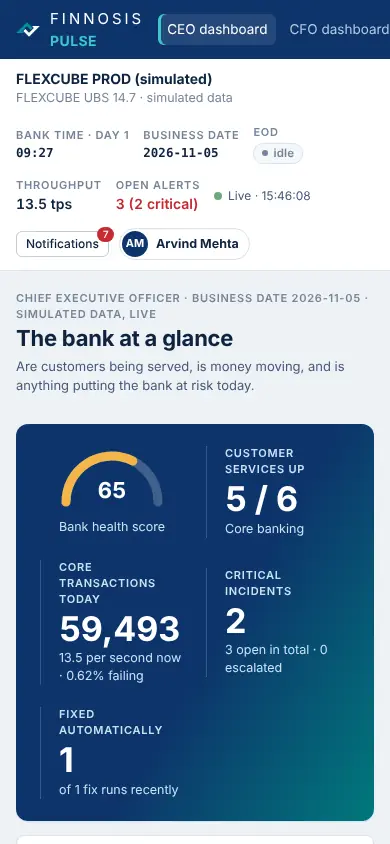
The bank at a glance
Customer services up, transactions today, critical incidents, automatic fixes, success rates across channels, where the risk sits.
Money flows and books close
Suspense balances by GL and age, failed postings and value not posted, authorisations waiting, day-end against SLA, treasury feeds.
Operational risk
Unacknowledged and escalated incidents, systems others depend on, risk heat by area, AML and sanctions queues, failed automatic fixes.
Operations and service levels
Channels, branches by stage, response times by team, back-office queues, interfaces, ATMs online and out of cash.
Technology health and automation
Platforms up, availability heatmap, database and app-server headroom, automation success, recent configuration changes.
Access and security controls
Privileged accounts, failed sign-ins and lockouts, temporary passwords, privileged changes, OTP and API gateway health.
Compliance and audit evidence
AML and screening queues, sanctions holds, regulatory data freshness, maker-checker on learned fixes, audit evidence.
The CEO dashboard fits a phone
Every dashboard works at phone width, so executives can check the bank between meetings.
- Each role opens on its own home dashboard
- Which dashboards a role sees is set by the administrator
- Read-only for executives: they see, the teams act
Show your board their bank
A demo of the executive dashboards running on a bank like yours.